Okta FastPassを無効化
パスワードレス認証をユーザーから削除する場合は、Okta FastPassを無効にします。
-
Okta FastPassを使用する任意のポリシーを編集します。
-
Admin Consoleでに移動します。
-
アプリのサインイン(App sign-in)をクリックします。
-
アップデートするポリシーを選択します。
-
ルール(Rules)タブをクリックします。
-
適切なポリシールールを設定するには、メニューをクリックして編集(Edit)を選択します。
-
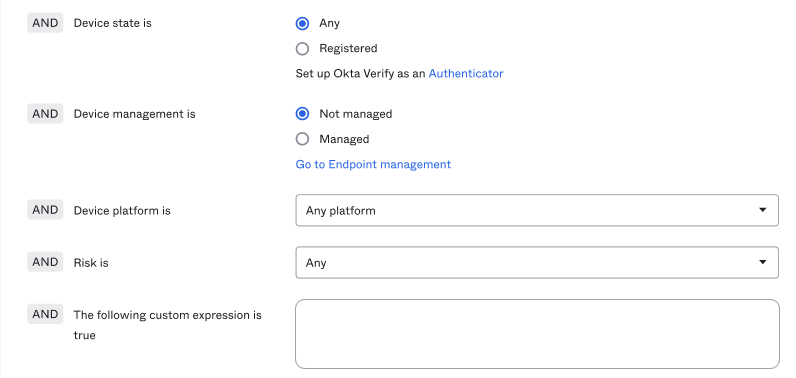
デバイスの状態(Device state is)条件をすべて(Any)に設定します。
-
次のカスタム式をtrueとする(The following custom expression is true)フィールドに存在するデバイス条件をすべて削除します。
-
保存(Save)をクリックします。
-
-
Admin Consoleで、に移動します。
-
Okta Verify Authenticatorで、クリックします。
-
検証オプション(Verification options)で、 Okta FastPass(すべてのプラットフォーム)(Okta FastPass (all platforms))をオフにします。
Okta FastPassを無効にできないというエラーメッセージが表示された場合は、既存のアプリサインインポリシーを見て、Okta FastPassが使用されている場所を確認してください。
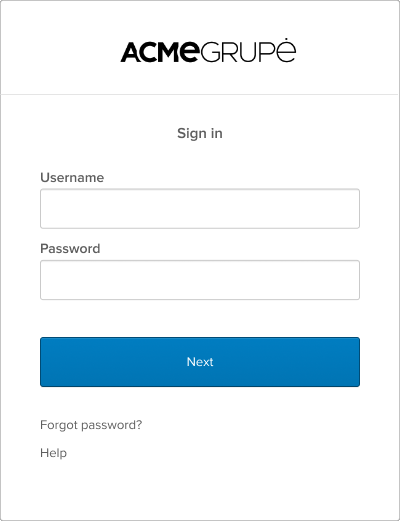
Okta FastPassを無効にすると、ユーザーに対してSign-In Widget が次のように表示されます。
関連項目